





14 days of Pro, free
 14 days of Pro, free
Brainstorm, diagram and present on an infinite canvas
Draw by hand, type out a diagram, or ask the AI to draw it. Then share it with your team or present it as slides.
14 days free · Cancel anytime · Everything included

For engineers
System diagrams, database designs and docs that stay up to date.
For product managers
Flows, roadmaps, specs and planning boards for the whole team.
For designers
Quick wireframes and user journeys before opening a design tool.
For founders
Pitch decks, plans and big-picture maps, made in minutes.
For teachers and students
Lessons, study notes and explainers that are easy to follow.
What you can make
One tool for all your diagrams, notes and slides
No more switching between a whiteboard, a diagram app and a slide app. Koboyo does all of it, and the AI can do most of the work for you.
Brainstorm ideas
Throw ideas on sticky notes, group them, and turn them into a mind map.

Take meeting notes
Write notes, sketch as you talk, and share the board when the meeting ends.
Run workshops and retros
Use ready-made retro, kanban and journey boards, and have everyone add to them live.
Draw system diagrams
Show how your app works, with real AWS, Google Cloud and Azure icons.
Practise system design interviews
Sketch a design fast, talk through it, and let the AI suggest what you missed.
Design a database
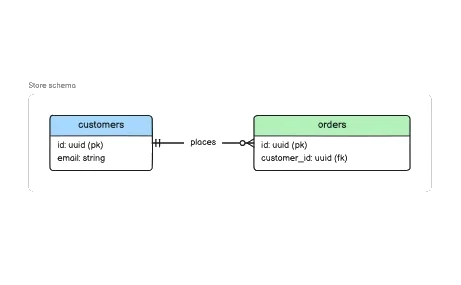
Lay out your tables, columns and how they connect.
Explain your code
Ask your coding assistant to draw how your code works, right from your editor.
Map out a process
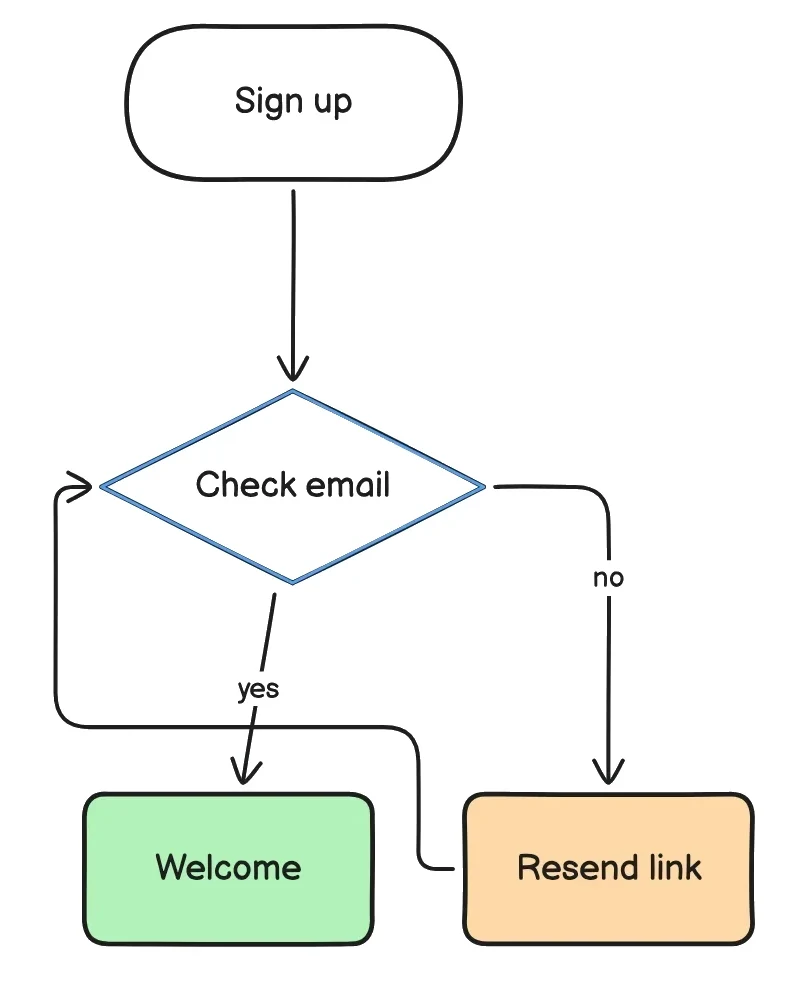
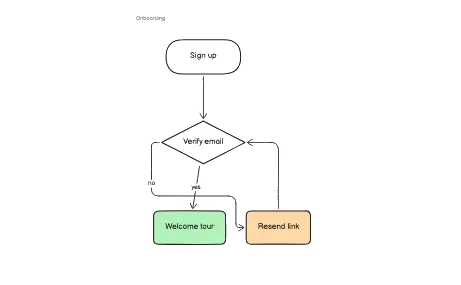
Draw flowcharts for sign-ups, checkouts, approvals, or anything with steps.

Map a user journey
Show each step a customer takes, and how they feel at each one.
Sketch screens
Mock up app and website screens with ready-made buttons, inputs and frames.

Plan a project
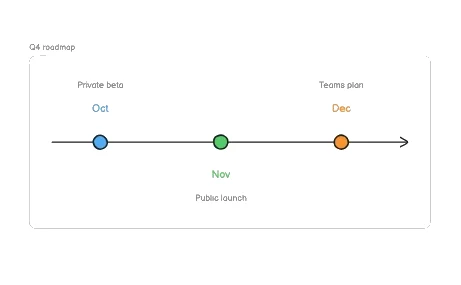
Make timelines, Gantt charts and roadmaps your team can follow.
Draw an org chart
Show who works with whom, from a small team to a whole company.
Make slides
Build a deck on the board and present it, or export it as a PDF.
Teach and explain
Walk a class or a team through an idea with slides, a laser pointer and drawings.

Turn data into charts
Drop in a spreadsheet and get bar, line and pie charts.
Drawing
Draw anything, fast
Pen, shapes, arrows, sticky notes and more than 40 shape types. Everything gets a clean, hand-drawn look, so even a quick sketch looks good.
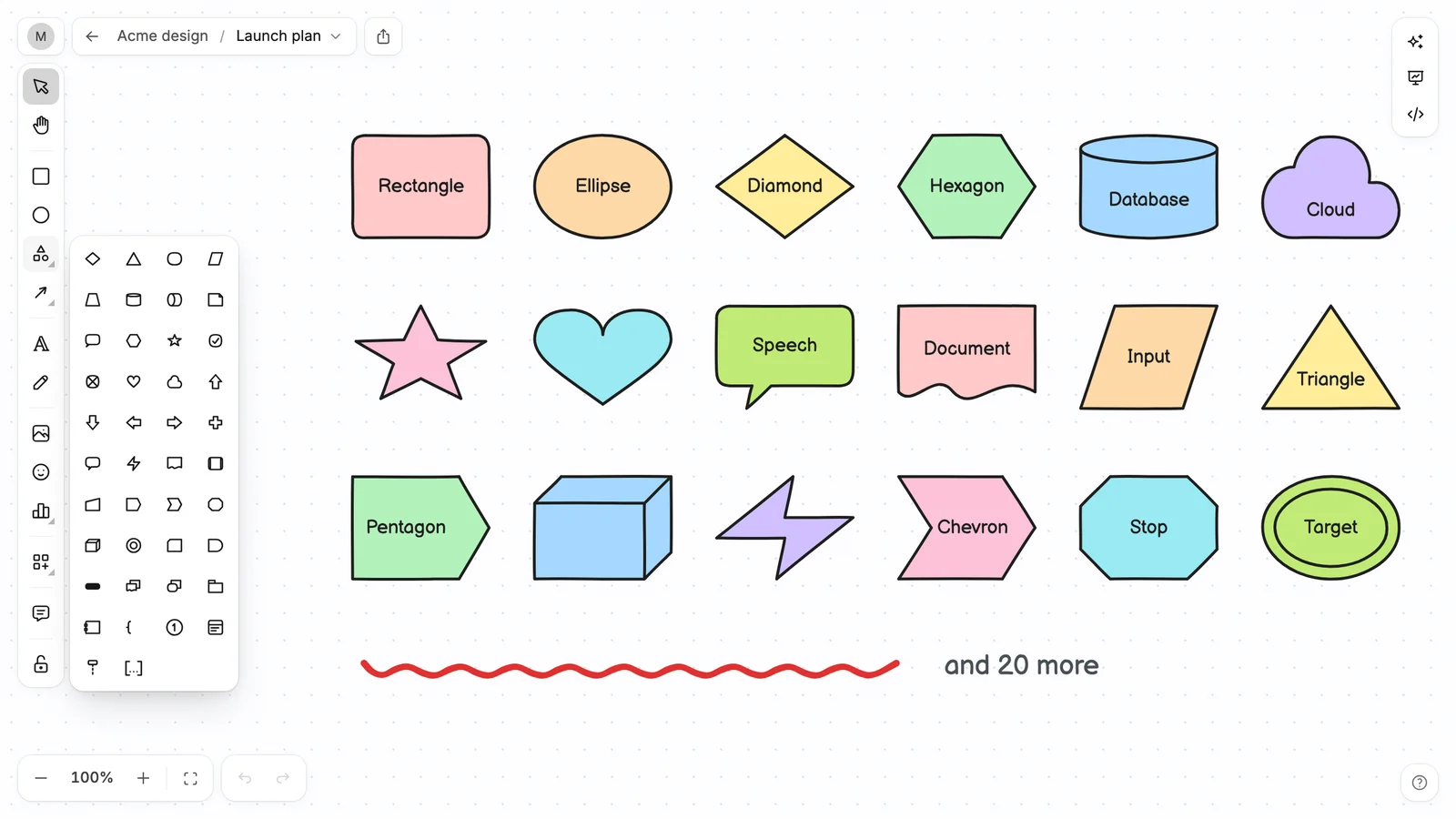
More than 40 shapes, all hand-drawn
Pick one from the shapes menu, or draw your own with the pen. Any shape comes in any colour.
Add the next step with one key
Select a shape and press Tab. Koboyo adds the next box and the arrow for you.
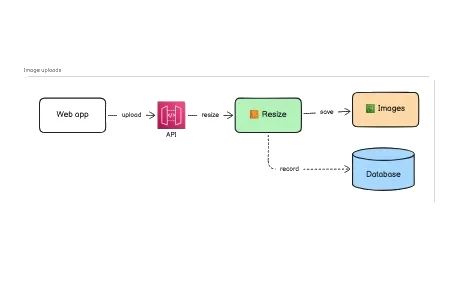
Arrows stay attached
Move a box and its arrows follow. No redrawing lines every time you change your mind.
whiteboard-photo.heic
Add images
Paste a screenshot, drag in a photo, or pick from the image library. iPhone photos work too.
Charts from your data
Paste a spreadsheet or type the numbers. Change one here, add a month or switch the chart type.
Sketch app screens
Phone, browser and desktop frames, plus 37 ready-made parts like buttons and inputs.
Style
Make it look the way you want
Pick fonts, colours, fills and line styles, line everything up in one key, and copy the result anywhere.
Seven fonts, from handwriting to code
Four handwriting styles, a clean font and a code font. Make text bold, italic or a link.
Colours and fills
Soft pastels, bold colour, plain outlines or a shadow. Change one shape or many at once.
Lines and arrows
Solid, dashed or dotted. Straight, curved or elbow. 14 arrowheads, down to crow's feet.
Step badges and callouts
Number the steps of a how-to and point at what matters with speech bubbles.
Copy as an image, or print
Copy any selection as a picture and paste it straight into Slack, email or a doc. Or print it.
Every tool, one key away
Press / to see every tool, or type to find one. Try it here. ⌘K finds any action.
Line things up
Guides help you line up shapes as you drag, and one key tidies the whole board.
Icons
More than 260,000 icons, ready to use
Search by what you mean, like “deploy” or “oops”, and drop any icon on your board. All of them are included.
























Hand-drawn icons
Over 260,000 hand-drawn icons in styles like ink brush, block print and cartoon. People, animals, tech, objects and more.


Simple line icons
Clean, simple icons for apps, flows and slides.


Emoji
Every emoji, in full colour.


AWS, Google Cloud and Azure
The official cloud icons, for system diagrams that look the part.
Press Shift + S to browse them all
Search by name, filter by kind, and click one to put it on the board. Try “rocket”.


Tech logos
Logos for the tools and languages your team uses.
AI

Tell the AI what you need, and it draws it
Describe a diagram or a slide deck in plain words and the AI builds it on your board. It can also fix the layout, change colours or add more detail. You can undo anything it does.
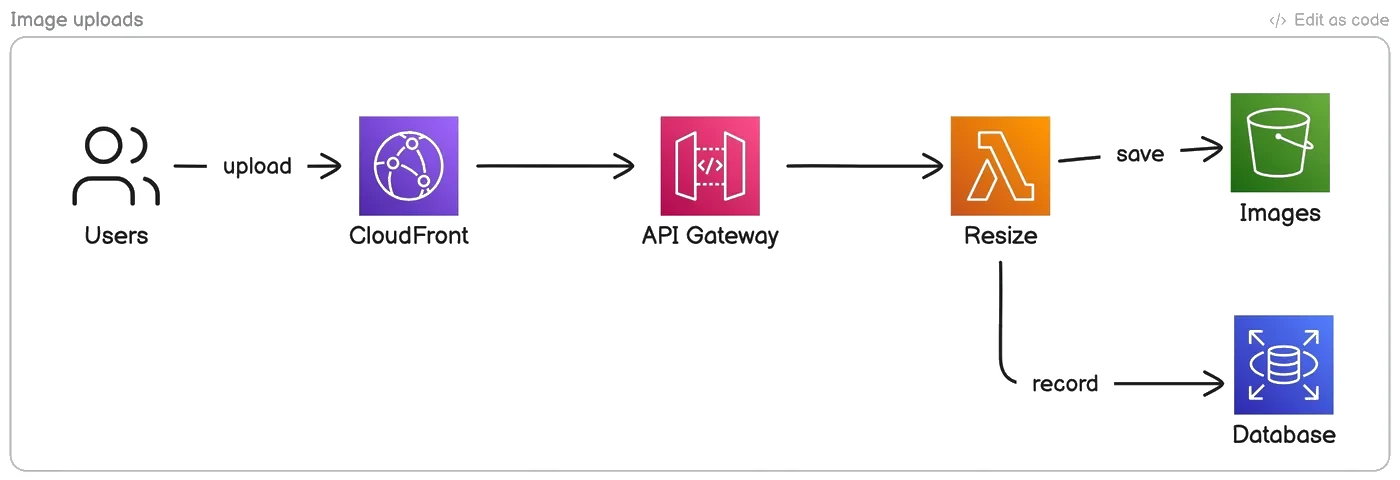
Ask, and it draws on your board
Pick a prompt to see what the assistant does. It can also edit what is already there.
Whole slide decks
“Make a 6-slide pitch for our launch.” It writes the slides, lays them out and adds animations.
Turn a web page into a diagram
Paste a link to docs, an article or a spec, and the AI reads it and draws it out.
Turn files into diagrams
Attach a spreadsheet, a photo of a whiteboard, or a document. The AI turns it into charts, tables and diagrams.
Fix your writing
Select any text to fix spelling, make it shorter, simpler or more professional.

Create images
Ask for an illustration and it appears on your board. 10 images a month included.
Text to diagram
Type a few lines, get a diagram
Write your diagram as simple text and Koboyo draws it and lays it out for you. You can still move things around by hand afterwards.
20 diagram types
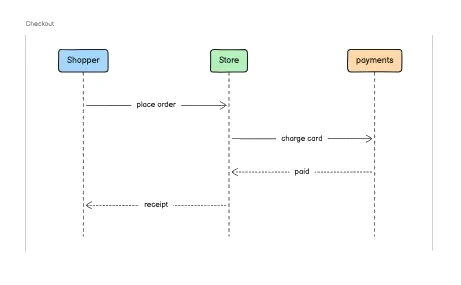
Flowcharts, system diagrams, database diagrams, mind maps, Gantt charts and more.
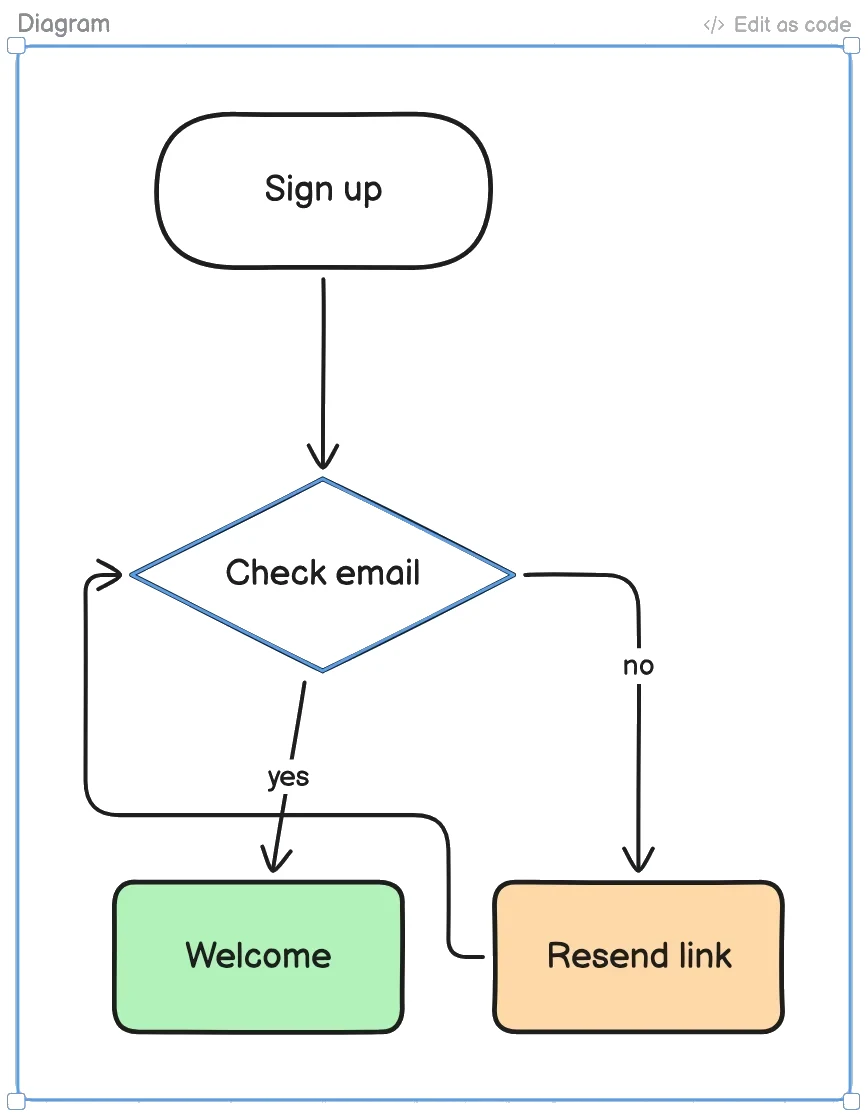
Text in, diagram out
Switch between a flowchart, a sequence and a database diagram to see the text behind each.
flowchart TD
  Start --> Check{ready?}
  Check -- yes --> Ship
Paste your Mermaid code
Already use Mermaid? Paste it in and it turns into a diagram you can edit.
Bring your old diagrams
Open Excalidraw and tldraw files, or paste Eraser code, and keep editing them here.
Slides
Make slides and present them
Turn any part of your board into a slide. Add animations and present right from Koboyo. No need to copy things into another app.

Frames become slides
Pick a slide, or open Animate and try an effect. Present when you are ready.
57 slide templates
Ready-made slides for pitches, plans, workshops, retros and more.
Laser pointer and notes
Point at things while you talk, with notes only you can see.
Download as PDF, PNG or SVG
Download slides as a PDF, and any diagram as an image, in light or dark.
Teams
Work on the same board with your team
Invite your team and draw together in real time. Leave comments, mention people, and keep every board in folders.
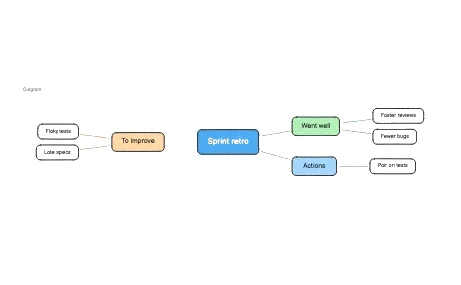 AnaSamLeeKai
See who is on the board
Everyone’s cursor shows up live as they draw. Click a face to jump to where they are.
Choose who can see it
Keep a board private, share it with a link, or make it public.
Comments and mentions
Leave a comment on any shape and mention a teammate. Post this one to see a reply.
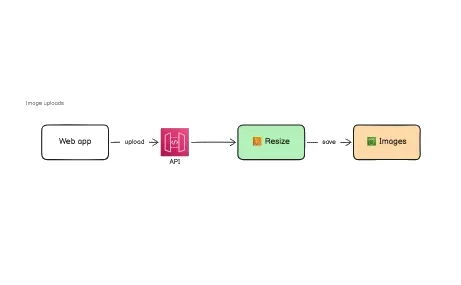
Embed in your docs
Put a diagram in your docs or wiki. When you change the board, the embed updates too.
Never miss a comment
Get notified when someone mentions you or replies, in the app or by email.
Folders for every project
Keep boards in folders and find any of them fast. Click a folder or type in the filter.
More than one workspace
Keep work, clients and side projects apart, each with its own people and boards.
The right access for everyone
Owners, admins, members and viewers, so everyone can do what they need and nothing more.
Developers

Make diagrams from your code editor
Connect Claude Code, Cursor, VS Code or Codex. Ask your AI coding assistant to draw how your code works, and the diagram shows up in Koboyo, ready to edit.
Ask for what you need
Your assistant can draw diagrams, make slides and edit boards you already have.
Works with your tools
Your assistant can make diagrams and slides, and gives you a link to edit them.
How it works
Get started in three steps
Nothing to install. Koboyo works in your browser.
Start your free trial
Use every feature free for 14 days. Cancel before it ends and you pay nothing.
Your workspace
Acme design
Pro trial · 14 days leftDraw, type or ask the AI
Draw by hand, type out a diagram, or tell the AI what you need.
Share it or present it
Send a link to your team, put it in your docs, or present it as slides.
And more
Small things that save you time
Useful extras you get with every board.

Pricing
One simple plan with everything
Try every feature free for 14 days. Cancel before the trial ends and you won't be charged.
Koboyo Pro
$8.33per person / month
$100 billed yearly. You save $19.88 a seat.
Nothing to pay today. Priced per person; add or remove seats anytime.
Everything included
- Unlimited canvases and folders
- More than 260,000 icons
- 50 AI credits a month for each person
- 10 generated images a month
- Draw together live, with comments and mentions
- Slides, animations and presenting
- Text to diagram, and Mermaid import
- Use from Claude Code, Cursor and other coding assistants
- Embed boards in your docs, with no Koboyo logo
- PNG, SVG and PDF export
Need more AI? A $10 pack adds 50 credits and 10 images, shared by your workspace for a year.
Your boards stay private until you share them.
Deleted boards wait in the trash for 30 days.
Payments are handled securely by Polar.
Cancel anytime from your settings.
Compare
Try it free, upgrade when you need more
You can draw on koboyo.com without an account. Pro lets you save your boards, share them with your team, and use the AI.
| Feature | Scratch canvasFree, no account | ProPer person |
|---|---|---|
| Create | ||
| Every drawing tool, shape and frame | ||
| More than 260,000 icons | ||
| Text to diagram and Mermaid import | ||
| Slides and presenting | ||
| PNG and SVG export | ||
| Keep | ||
| Canvases | One, in this browser | Unlimited, synced |
| Folders and stars | ||
| 30-day trash | ||
| AI | ||
| AI credits | 50 a month per member | |
| Generated images | 10 a month | |
| Use from coding assistants (MCP) | ||
| Share | ||
| Draw together live, with comments | ||
| Share links and roles | ||
| More than one workspace | ||
| Embeds with no Koboyo logo | ||
Koboyo is an online whiteboard for diagrams, notes and slides. You can draw by hand, type out a diagram, or ask the AI to draw it for you. Then you can share the board with your team or present it as slides.
Start drawing with Koboyo today
Try every feature free for 14 days. Cancel anytime.